Showing posts with label Improving the Instructional Program. Show all posts

Tuesday, 14 April 2015

We Have to Stop Pretending - My 5 Things

Thanks @mcleod for the motivation this morning.  Great idea.  I hope all pick up on this.


When it comes to education, we have to stop pretending…

  1. Covering content is the same as creating content.
  2. Talking about critical thinking instead of doing critical thinking.
  3. Sitting in rows, having students grouped by age is the best way to learn.
  4. Learning is best done when broken up into subjects and units.
  5. Textbooks are the best material to drive our lessons.
What are yours? 

Please join us. When it comes to education, what are 5 things that we have to stop pretending? Post on your blog, tag 5 others, and share using the #makeschooldifferent hashtag.

Please visit +Scott McLeod blog, http://dangerouslyirrelevant.org/2015/04/we-have-to-stop-pretending.html to see his original post.

Write it in a blog, post 5 tweets.  Tag 5 other people.  Use the #makeschooldifferent tag.

I tagged, @tina_zita @pmillerscdsb @Gregbagby @jameseliasnunes @plugusin @leslie_edu

Remember to TAG 5 others.

Tuesday, 17 February 2015

You don't have to be first to really lead

I have been thinking about this post for awhile and my motivator today comes from spending a day with my son and then reading a post by @gcouros entitled, 5 Ideas for Conversations on Change.

If we lead with what is best for kids, good things will always happen.

We should always do what is best for our students.  From my days developing DI portfolios for grade 10 History, to hand coding webpages so that my class and their parents could have access to materials, to embedding a critical thinking methodology into department courses, they were always done because I believed it to be best for kids.  It was this conviction that built support for these ideas from department members and other staff. While I may have had the initial nugget of an idea it was only ever with the help, support and the willingness to innovate from my colleagues that allowed these ideas to come to fruition.  Great things can happen when you start working from what is best for students.

Help teachers know where they are and where they need to go.

No teacher wakes up and says, "today I choose to do exactly what I have done before even if it isn't good for kids."  Most teachers and administrators, do what they believe to be best for kids.   Even when they can't do what was best for kids, it isn't because of a lack of want.   It is usually because they can't get from their start line to the finish, or they do not even know where the finish is - or if the finish even exists (in education there really is no finish). No teacher ever wants to be left behind.  It is our job to listen to their concerns and wisdom from years of teaching and seek common ground.  If a teacher isn't doing what's best for kids in our eyes, they are not certainly doing what's worst for kids in their eyes.  We need to see things from their perspective; find common ground and start building our common ground to start working towards what is best for kids. 

It is better to support teachers than pull them along.

How many times have you seen in movies where someone falls of a cliff, building, airplane, etc. and someone else catches them?   How often is that really successful?   Would you rather just save someone or develop someone?  Supporting our teachers through change will have a far greater impact than just pulling them begrudgingly along.  This will be a long journey and cannot be done over night.  Break this journey up, provide markers for success and check ins for help.  Supporting people is the key to doing what is best for kids.   We need to let teachers know it is safe to step outside of their comfort zone and try something new.   When teachers do this they are putting themselves out there and they need to know we support them.  When this starts to happen, good things will come about.  

Listen, model, learn together - My day cross country skiing.


https://www.parentmap.com/c/528547a9/images/enews/content/joanna_nesbit_ty_and_dad_skiing_manning_2008.jpg
As an example, yesterday my family and I went cross-country skiing, at first it was a challenge for my son.  He was doing something he never had done before. He was uncomfortable and embarrassed as he kept falling going up hills.   I could have lead him, gone in front and pulled him up the hill.  It would have been quicker, it would have been easier, but what would have been learned?  Instead I stayed behind, offering suggestions and support, occasionally coming up beside him to listen to him and try and figure out what he was attempting to do. I then attempted to model technique (with all my none cross country experience) and eventually it clicked for him and we were off on our journey, together!

Tuesday, 20 January 2015

Connected Culture, Collaborative Culture: Comes From the Top!

Today I read an old post from Edutopia, on creating a Twitter driven school culture.  Great piece on getting your staff going on Twitter.  It can be found at: Link to article.

It offers some great ideas for leaders to engage their community, but not just on Twitter, really their suggestions work on creating a positive culture that will be able to accomplish anything.

http://41.media.tumblr.com/tumblr_m6lv6gWSct1qz8089o1_1280.png

Edutopia is absolutely correct in leading off with modelling.  We as leaders must take those first critical steps in everything we do, from instruction to behaviour to tech use we have to show and set our expectations through modelling.

Next, they suggest displaying your Twitter handle.  This is great for Twittet but don't forget to show how else you connect and to also display how you want others to teach and learn.

The third example of real time encouragement is crucial, again crucial not just on Twitter.  It's easy to retweet and favourite, but it takes a real effort and go the extra mile and talk face-to-face with others and let them know how much you appreciate what they do.  I need to work on the face2face component as well.

Their fourth point really comes down to voice.  Let people know that their voice is heard.  This goes for staff and students.  The twitterfall in the staff room is a great plan.  I will use our hallway LFD TV for this.

We need to trust our staff that their backchannel Chet's on Twitter and at the water-cooler will be purposeful and have meaning. The more open we are the more conversation and the greater the ideas will become.

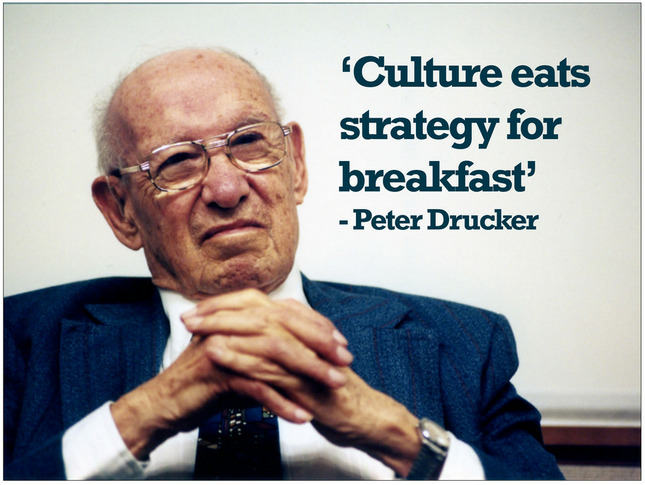
The Final point on creating a team will naturally occur if we pay attention to all of their other points.  If we create a safe, collaborative environment where we learn together great things will happen.  And as Drucker says, "culture will eat strategy for breakfast."


Thursday, 27 November 2014

What are Your Big Three?

This post was inspired by 8amber8 and her blog http://technicallyteamann.com.  Amber posted about what her big three are when it comes to admin. I thought I would come up with something new, something brilliant. Then I realized I am me and that's simply not possible.

I then returned to the tag line of my blog, these are and will be my big three:

Instruction LEADS, Relationships ENGAGE, Technology EMPOWERS!


Instruction leads the learning for staff and students in a school. Learning is the cornerstone, the foundation for everything we do. If we are not all learning effectively, what is the point? We need to ensure that we keep this focus when the maelstrom of issues get thrown at us, if we do this we will always have a focus and clarity to see us through to our goal.

The connections we make, the relationships we development with students and staff are the next most important thing we can do. It is the WHO we are, not the what we do that will bring our reluctant learners (students and staff) into our building, into our learning. These connections, both virtual and realtime, are truly what will help us maintain focus and direction in times of crisis or disruption. When we are able to show students and staff the relationships/connections between ideas and knowledge real learning happens.  Relationships/connections matter.

Once we have our learning, our instruction, our relationships and connections created we can truly empower learning for all. This empowerment can come from our use of technology as we give everyone in our school a voice. A voice they might not have had if it were not for our instruction, or relationships and if we did not empower them through the use of technology. Student voice will come from their ability to create tremendous products of their learning.

While I have a continuum for my big three, could I put them in a hierarchy? Let me know what you think.

Tuesday, 16 September 2014

Can't find something...you should've put it in your POCKET!

Using twitter has been a great professional learning experience.  Twitter has helped build relationships over wide geographic distances and within the mighty PDSB.  I get to share ideas and resouces with people who's paths I might not have crossed without twitter.  This post is a result of these connections and relationships.  It is part of the first #peel21st blog hop.  Please check out the other blogs listed at the bottom of this post.  Enjoy!

So we have all been there, we have been with a colleague who tells us about a great teaching tool or we have found resources online and we want to save them so we can read and use them later.  This is long after we have finished marking, writing report cards and then we have performed our parental/family duties when we are finally at home.

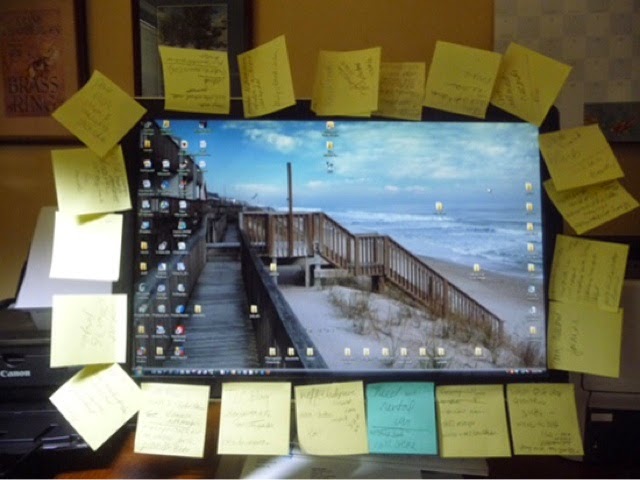
So what do you do with these finds?  Do you write them on a piece of paper? Put them on a sticky note that gets stuck to your monitor? Email yourself the link or bookmark the resource on the computer your are using?


We all know how successful these methods are; the piece of paper gets washed, the sticky note falls off and gets stuck to something else, you suck as an email ninja and your hopes of inbox zero had officially faded with email number, 3000 in your inbox.  The bookmark idea almost works, but then when you try to find it you discover your were logged in under someone else's username, or you cannot access the bookmark because you are on a different device.  

I know your frustration, I have been there myself, or should a say, used to be there.  My advice to you, you should just put it in your Pocket!


So, what is Pocket?

Pocket is a cross platform, cross device, visual bookmarking service that will help turn you into an Web 2.0 ninja.  Pocket can be used on almost any device, using almost any operating system that will allow you to easily save, but more importantly retrieve articles when you have more time, or when you actually need them.

How do I put things into my Pocket?

In most cases things can be put into your pocket with one click, touch and swipe using extensions in Chrome or by using bookmarklets on iOS.  Once these are setup, it is one touch on the tool bar, or one touch on the share icon and you can automatically send things to your pocket for when you have time to read them later.

What does Pocket do with my finds?

Pocket will parse the articles and remove unwanted adds and distractions that will help you read items at a quicker pace.  Pocket also archives the articles so you can have offline access to blog posts or articles and this even allows access to the content when the host site is down, the article has been move, or even worse, the article has been deleted.  Pocket lets you view your items in either the streamed lined list view or the graphically stunning thumbnail view.  As a visual person, I enjoy using thumbnail view the most, but when I am in a hurry I revert to list view.  Pocket even has different colour themes for you viewing pleasure.   I like to use the dark theme so I can easily read articles at night without the bright glaring screen of my tablet.  Further to this, videos can be played directly from within your Pocket. Talk about time saving.

What do I do with articles once they are in my Pocket?

You read them!  Besides this obvious remark, there are some great functions within Pocket that allow you to sort, filter and organize items to make finding them easier when you need them.  The most powerful tool in Pocket is the tagging feature, this allows for quick searching later.  You can add tags as you find and read articles.  If you have made a mistake, you can delete tags as well.   Actually if you made a mistake in saving an article, you can simply delete it from your pocket as well.  You can also search your pocket by keyword, article title and resource title. Once you have reviewed an item, you can check it off as read and it will send it to your archive for access later. This saves some room in your pocket for even more great discoveries.  You can also favourite articles you have read, for easy access to your top finds.

What else can I do with Pocket?

Pocket is integrated with over 500 different apps, which makes it uber easy to send items to your pocket and share items from your pocket.  Pocket integrates with Twitter, Zite, Feedly, and Evernote to name a few.  In most cases you can once again use pocket to share with one click, touch or swipe to many of your favourite networks like Facebook or share to public booking sites like Diigo (my fav) or Delicious.   Adding the Web 2.0 service IFTTT automates many things and makes both the finding and sharing of items even easier from Pocket.  You can even use IFTTT to automatically send new posts or articles from your favourite bloggers or news sites, so you never miss anything.   I have also started to further archive my Pocket by integrating with Evernote.  I can send items, along with their tags for always and ever access in Evernote.

What doesn't Pocket do?

I wish I could say it does everything, but I am still waiting for Hootsuite integration to come.  

In the end...

So do yourself a favour, leave the paper, the sticky notes, the emails and the browser bookmarks behind.  

Just start putting things in your Pocket.  You can find your Pocket at: https://getpocket.com/welcome.php

Get pocket and start taking a drink, at your own pace, from the waterfall of information on the web!


Don’t forget to check out the other blog posts in our Blog Hop!